Version Information
26.1(15530)
Device Information
iPhone 15plus, iOS 26.2
Description
First off, I really appreciate you guys listening to our feedback and quickly fixing the issues where the free cam couldn’t move in replays and the joysticks couldn’t be hidden in replays!
Now, let’s move on to the unresolved problem—the free cam’s movement speed is slower than in previous builds, and its rotation has become much stiffer.
The three comparison videos below were shot by me using the latest build (build 15530) and the last build before joysticks were introduced (build 15496). I captured the footage at the exact same spot in the same replay, trying to use the exact same camera movement techniques:
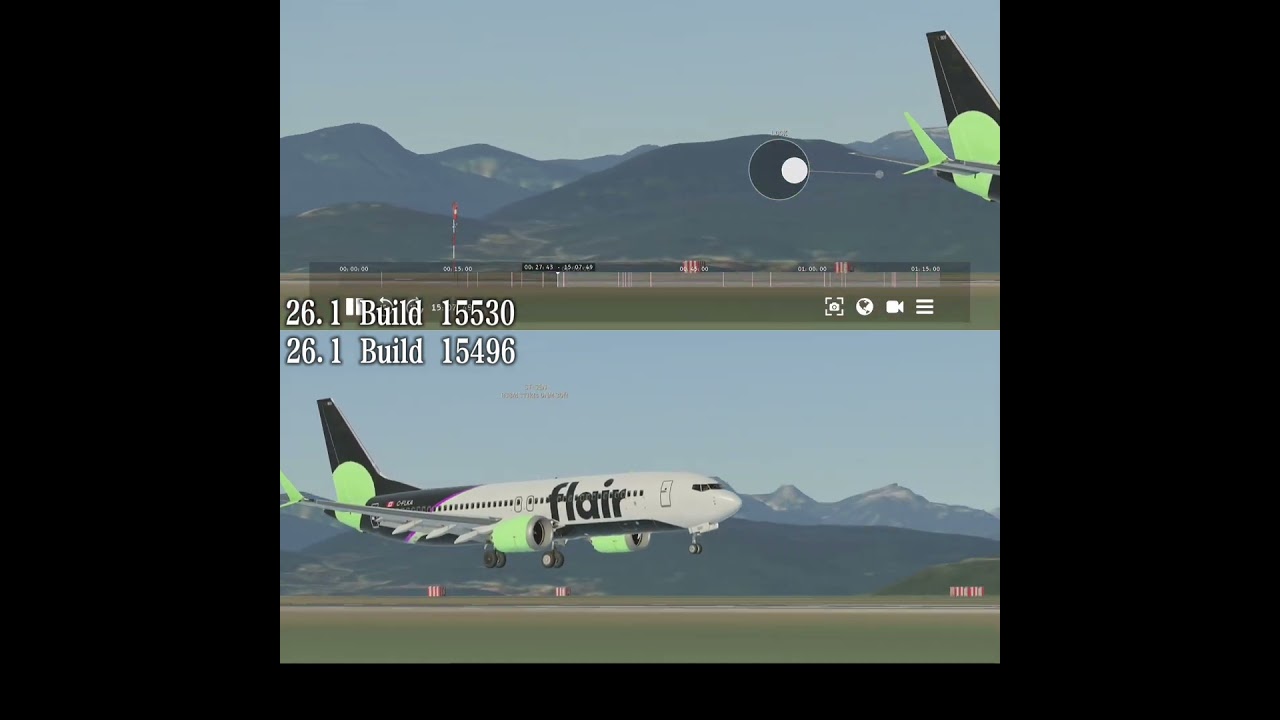
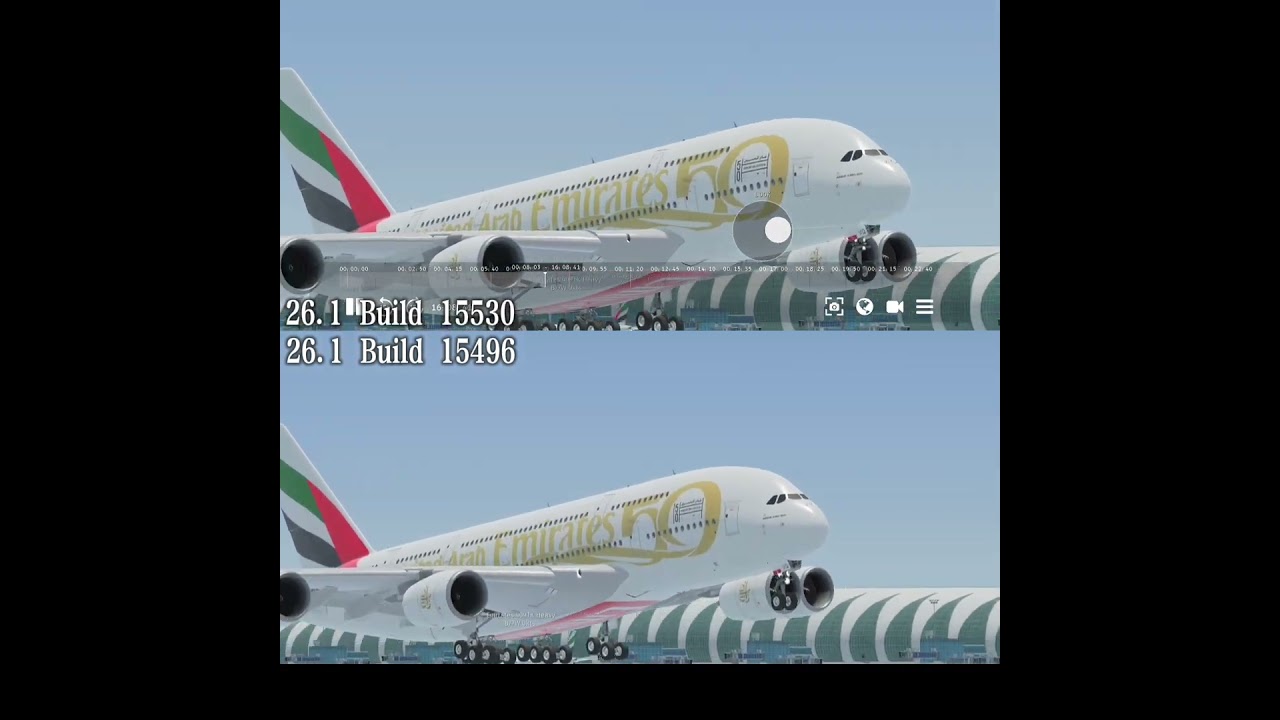
It’s crystal clear that the free cam in the latest build 15530 is way slower—both in movement and rotation—compared to build 15496. Additionally, from my tests, I found that in build 15530, the free cam’s rotation speed slows down even more as I zoom in on the frame. Because of these changes, it’s become extremely difficult, if not impossible, to pull off those awesome camera shots we used to nail effortlessly when creating videos with the new free cam. To quote a YouTube content creator: “This completely ruins the purpose of making content like infinite flight movies or cinematics.”
The free cam is, in my opinion, the key feature that makes Infinite Flight stand out from other mobile flight simulators like RFS and Aerofly FS—and it’s my favorite feature too. (What’s more, the reason I don’t use RFS or Aerofly FS for making movies or cinematics is that none of them have a functional free cam for pulling off cool camera moves, even if they might outperform Infinite Flight in some other aspects.) I’m really eager for the Infinite Flight dev team to take a look at this feedback and polish the free cam. (Btw, I think reverting the free cam to its original state would be a great fix!)
On a side note, even though I’ve already reported this issue, I just want to bring it up again:
Could this rendering issue that basically washes out the aircraft’s colors be fixed before the official release of 26.1? It makes all the screenshots and clips I take in replays look terrible, and it’s such a shame that I can’t fully capture those stunning in-game scenes. I really hope this problem won’t turn into a permanent glitch that sticks around for years, just like the B777 engine blade model perspective bug that’s been there since version 21.1.
One more thing to add: I understand that everything we’re seeing right now is still in development and doesn’t represent the final product. I also know that if I can’t stand these issues, I can always go back to the regular 25.1 build—and I will stick with build 15496 until you guys refine the free cam. Sure, players can revert to the official 25.1 build if they’re unhappy with the 26.1 open beta, but if we hold back on giving feedback and let things slide, until players are dissatisfied with the official 26.1 and even future versions like 26.2, 26.3, 26.4, etc.—where else can we go? Switch back to RFS or Aerofly FS?
Last but not least: Thanks to the dev team for rolling out the brand-new rendering engine—you guys have been working so hard! We’re super excited for the official update!


