Not sure what I did wrong here… thought I copied the directions exactly to the T…

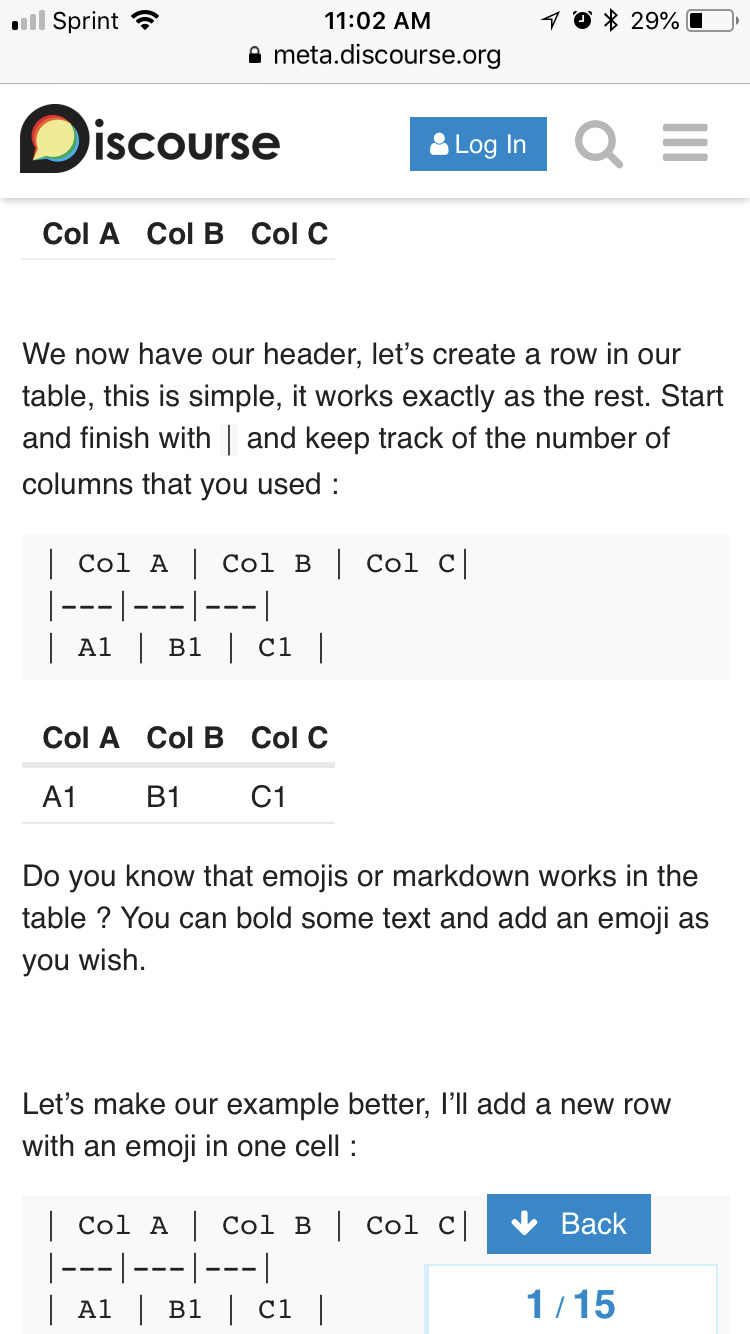
Remove the ` from your post.
->`<-
1 Like
Where is it? Can’t seem to find it
Here’s what it should look like if you remove the `s from your post.
| Col A | Col B | Col C |
|---|---|---|
| A1 | B1 | C1 |
1 Like
This is what you have now:
| Col A | Col B | Col C |
|---|---|---|
| A1 | B1 | C1 |
Where is the symbol that needs to be removed?
I must be blind 😬
Actually, I don’t see a symbol. Is this what it looks like when you try to edit it?
  | Col A | Col B | Col C|
  |---|---|---|
  | A1 | B1 | C1 |
If so, try deleting the indents.
Yes that’s how it looks, should I just type it normally with pressing the </> button?
1 Like
Don’t press the </> button.
1 Like

It worked I had to remove the indent
3 Likes
Glad I could help. Have a good one! :)
2 Likes
This topic was automatically closed 90 days after the last reply. New replies are no longer allowed.