MKT
February 22, 2021, 7:53pm
1
Hello there. I’m Using a Android phone and recently I have been having a problem for the past days running infinite flight app. Everytime when I’m 30 min in flight time in the game the app crashes. I made sure all apps were not running in the background and no outside interruptions like phone calls and notifications.
Please help me and any further suggestions I should take?
Edit: Phone is samsung S10 plus
Taco
February 22, 2021, 7:54pm
2
Be sure to clear scenery cache before each flight and before you land!
Also make sure your settings are optimal for your device, new devices can run at higher settings!
If these don’t work, try uninstalling and reinstalling!
Hope these help!
Well there could be a number of things here. Is your game fully updated? Any possible updates you haven’t done yet?
Check your app store, make sure you Infinite flight is completely updated.
Before a flight, restart your phone, I do this prior to every flight, just to be safe.
If none of these work, uninstall Infinite Flight, and reinstall it.
(Also try @Taco ’s tips)
MKT
February 22, 2021, 7:57pm
4
I also tried running at a lower resolution and still no luck. I uninstalled it a week or so due to the frustration of it crashing after a 12+ hrs flight.
I reinstalled 3 days ago and it worked fine after a 16 hour flight I landed. I launched a flight today and the app is just not having it.
Taco
February 22, 2021, 7:58pm
5
Have you cleared scenery cache?
MKT
February 22, 2021, 8:00pm
6
Yes the game was a but laggy then back to normal. Launched for the 3rd time 30 min in the flight as I was communicating with ATC it crashed.
Edit: I also checked infinite flight updates and I’m all up to version 20.03.04
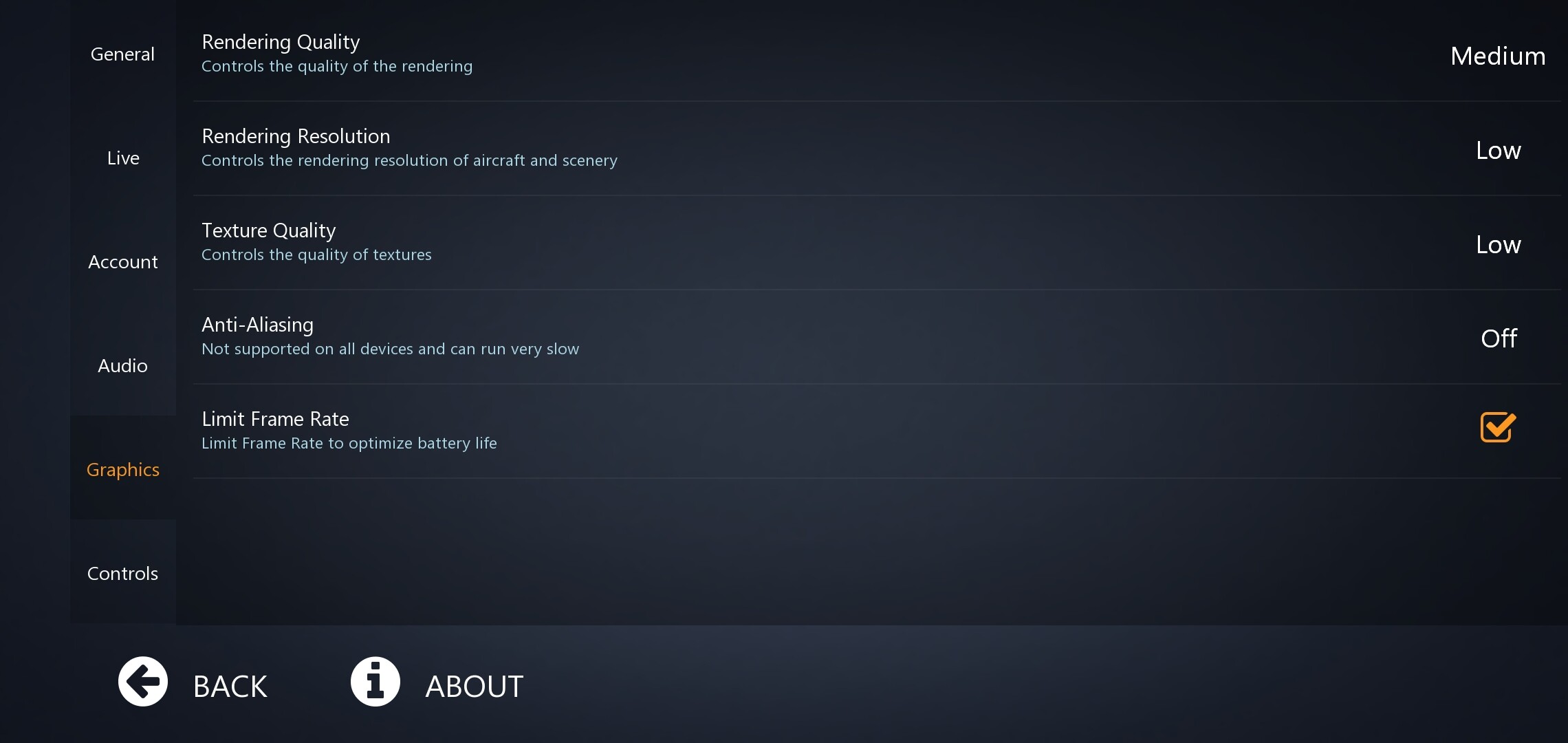
What’s your graphic settings at? Try to have them as low as possible that might help!
MKT
February 22, 2021, 8:07pm
8
Here are mys settings after I reinstalled the app
Try to have them all on the low setting and see if that works
MKT
February 22, 2021, 8:10pm
10
Ok will do in a few hrs. But I have doubts it would work.
Don’t know if you don’t try 😉
MKT
February 22, 2021, 8:12pm
12
Yeah, yeah. Please don’t close the topic until I tried all on low.
Is your phone stockage almost full ? It might be a cause for crash
Chris_S
February 23, 2021, 2:18am
14
What country are you in? You may have the Exynos chip crashing issue.
I do have one of the Galaxy S10 phones with the Exynos chip, that did freeze and reboot at random times when playing IF, during taxi, takeoff, at 30.000ft etc…
Today i had an Android update, @Jan is a friend with the freeze problem with his S10+ also, and he said he didn’t had any crash after the update.
Normaly my graphic settings are at medium, the frame limit is on and the AA off , but after the update i did put all settings to the max toch check if the S10 would keep running.
For now, aft…
MKT
February 23, 2021, 2:21am
15
Ohh that looks like it. Im in South Africa.
Edit: I just did a update check and haven’t received one yet.
MKT
February 23, 2021, 11:42am
16
Nope I still have 53 Gb of free internal memory
MKT
February 23, 2021, 11:42am
17
Same thing happened again when I was doing a flight.
I am experiencing the same issue but am a iOS user
MKT
February 23, 2021, 11:56am
19
Thank the Lord im not the only one here.
Have you tried deleting your game the reinstall it?