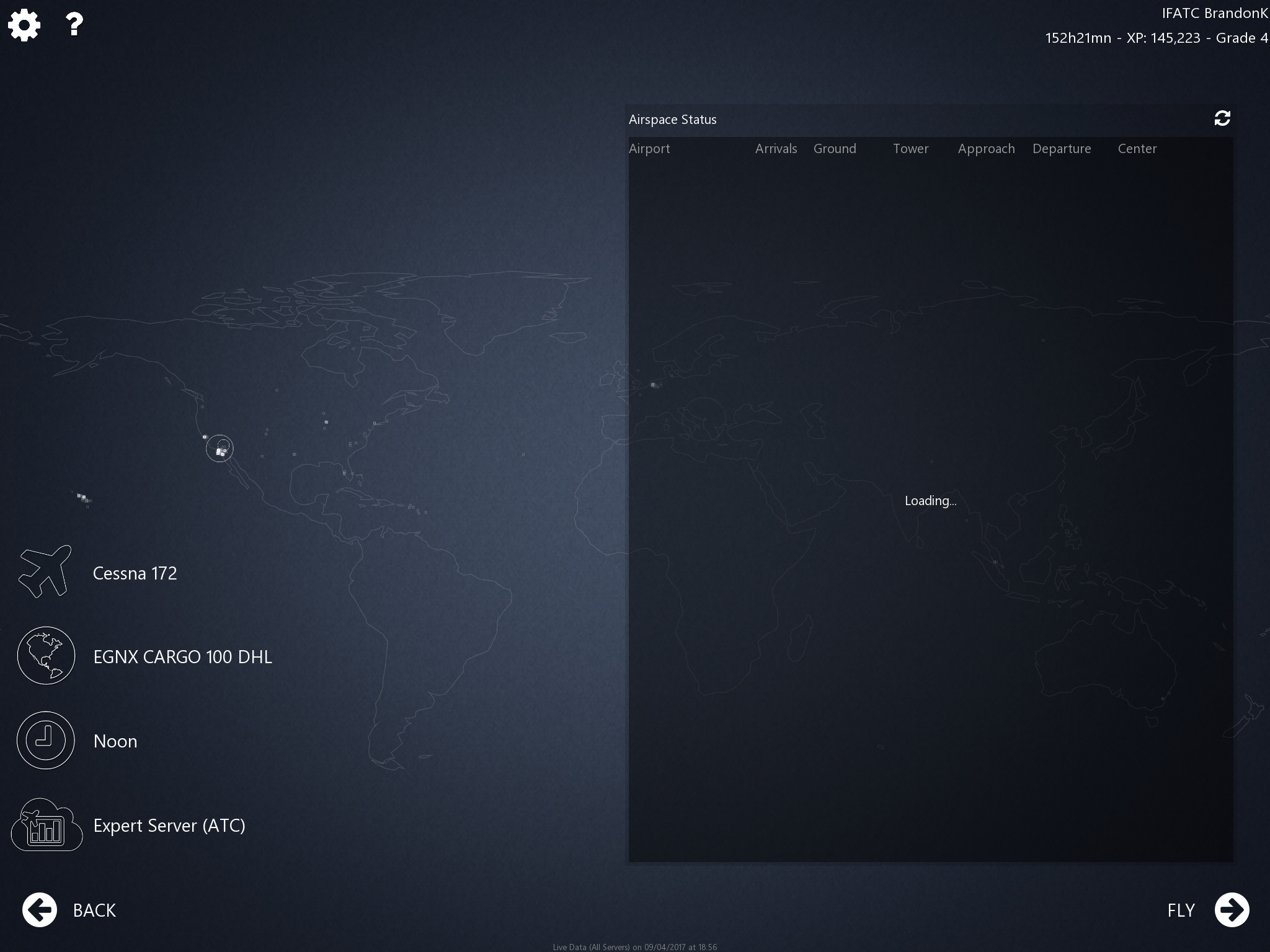
I have just experienced and issue with the menu on the Expert Server. The Airport Status box does not show. I have talked with other users about this issue and they are having the same issue.
That was what my thoughts were… The restart of wifi router and device did not work and I have reproduced the issue on my iPhone 6s and iPad mini 2. Possibly a server reset may do the trick?
I was able to reproduce the issue on an Apple device but I am also having th same issue on my phone, and adoring device. Seems like it is indeed a server end issue.
Device: Honor 8
Android Version: 7.0
Version of IF: Latest Version (16.13.0)
having the same issue. I have tried all the normal stuff. restarting/resetting router, closing and restarting app, restarting phone etc… Still now showing Airspace status for Expert only but I can fly.
My only reccomendation to you all is to reset your router/modem for about 60 seconds, if not just wait it out. It’s happened before and the only solution is to wait.
I’m certain they are aware. They don’t always reply but let it be known that their communication with the community is nearly seamless, this is what they live and breath for! ;)